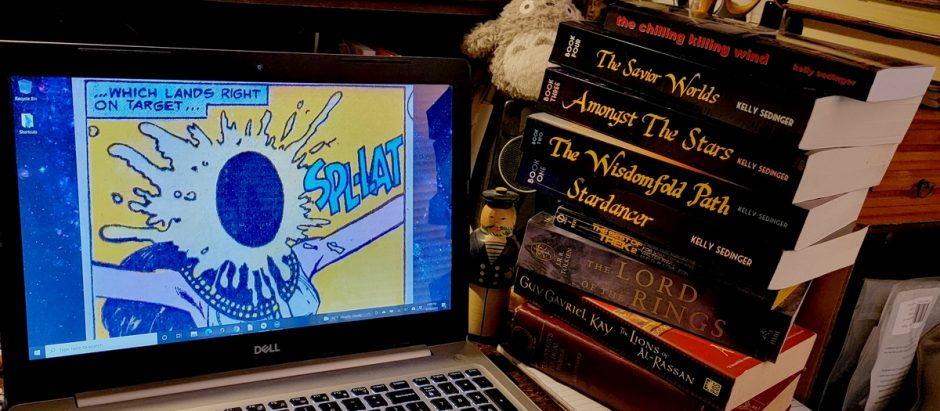
From the Books: THE LEFT HAND OF DARKNESS

I’m currently reading Ursula K. Le Guin’s classic sci-fi novel The Left Hand of Darkness, and while I rarely quote books while I’m reading them, this one passage hit me between the eyes. The story involves a planet that’s divided into two countries, and our two protagonists–one a planetary native, one an off-world visitor–are on the run in one of the two countries (“Orgoreyn”) and are trying to cross great distance to return to the other.

This exchange takes place, with the first line spoken by the off-world visitor who is a stranger to these countries:

“You hate Orgoreyn, don’t you?”

“…Hate Orgoreyn? No, how should I? How does one hate a country, or love one?…I know people, I know towns, farms, hills and rivers and rocks, I know how the sun at sunset in autumn falls on the side of a certain plowland in the hills; but what is the sense of giving a boundary to all that, of giving it a name and ceasing to love where the name ceases to apply? What is love of one’s country; is it hate of one’s uncountry? Then it’s not a good thing. Is it simply self-love? That’s a good thing, but one mustn’t make a virtue of it, or a profession…Insofar as I love life, I love the hills of the Domain of Estre, but that sort of love does not have a boundary-line of hate. And beyond that, I am ignorant, I hope.”

Lots of good food for thought in this book. But then, it’s Le Guin, so this is not a surprise.

UPDATE!!! So I just finished the novel, and it turns out there’s an Introduction to the book. Oddly, in my Library Of America edition of Le Guin’s works in which Left Hand is anthologized, that introduction does not appear at the beginning of Left Hand but rather as an appendix to the book as a whole, which is a rather odd thing, I must say. But anyway, in that introduction appears this bit of wisdom:

The artist deals with what cannot be said in words.

The artist whose medium is fiction does this in words. The novelist says in words what cannot be said in words.

I love that sentiment.

Posted in On Books, Writers | Tagged | 1 Comment

A dispatch from the 716….

Doo doo doooo, lookin’ out my back door….

That was a three-day stretch to remember. And we didn’t even get the brunt of it this time.

I honestly don’t recall a previous time when we lived under an official blizzard warning. Winter weather, winter storms, sure…but an actual according-to-Hoyle blizzard? Nope. So that’s off the list of, well, somebody’s list, anyway. It wasn’t on mine.

In our neck of the 716, we actually did not take this one on the chin, like we do on most events that include a significant lake-effect component (such as, oh, last weekend…and the big one from six weeks ago). As I write this it’s 1:45pm on Christmas Day and we’re getting hit by the northern edge of the snow band which spent most of the last two days absolutely drilling Buffalo and the northern suburbs, before it finally moved south overnight (giving us another foot as it passed by) and then shifted north again about 90 minutes ago.

I’m long on record as loving winter and snow, but this winter has thus far been a pretty severe test of those convictions.

But we’re still alive and well, we have plenty of food and thus far we haven’t lost power, and we frankly are in a much better situation than many. We’re doing OK. In fact, aside from my having to suit up and do a bit of shoveling every six hours or so (just a bit of maintenance shoveling, keeping the furnace vents cleared and making sure Carla has access to someplace to relieve herself, actually digging out the cars can wait, and why not, there’s a county-wide driving ban so we couldn’t go anywhere if we wanted to!), it’s actually been a lovely Christmas thus far.

But for a lot of people in my region it’s been a cold and dark and stressful and worrisome Christmas. I hope they come out of this and find a chance for some joy at some point. This was just nasty.

Anyway, Merry Christmas, everyone!


Posted in Life | Tagged | Comments Off on A dispatch from the 716….

Your Daily Dose of Christmas!

And at last we come to it: the day of The Birth, if you’re a believer. But you don’t have to be to get at least something out of the story and the emotions surrounding it.

I hope that whatever your beliefs may be, the day and the feelings surrounding it are good, happy, and true; and I hope that whatever is going on where you are, you and your loved ones are warm and safe.


Posted in music | Tagged | Comments Off on Your Daily Dose of Christmas!

Your Daily Dose of Christmas!

Well, as I write this, it’s actually the 22nd and all of The 716 is going nuts in advance of both Christmas and what is at this point promising to be a winter storm for the ages. As you’re reading this, I hope I have power–and that you do, too! I’m obviously scheduling this in advance, for the very obvious reasons. This storm is sounding like something I’ve never seen before, so…well, I’m sure I’ll end up writing about it sooner or later. Hopefully sooner…and also hopefully soon we’re able to look back on it as a thing that happened as we move on.

Anyway, I post this album most years, one version or another. The original album came out in the 1960s, but then Robert Shaw recorded a revised version of the same material in the 1990s. Both are classics…and you know what? Here are both versions!


Posted in music | Tagged | Comments Off on Your Daily Dose of Christmas!

Your Daily Dose of Christmas!

If I don’t post a rendition or two of this every year, I get in trouble with someone important!


Posted in music | Tagged | Comments Off on Your Daily Dose of Christmas!

Your Daily Dose of Christmas!

Hector Berlioz, L’Enfance du Christ.

This work has been a popular Christmas piece almost ever since Berlioz wrote it–it was one of the few outright successes he got to enjoy during his life–even though it’s not about the birth of Christ but about what happened after, when Joseph and Mary and the child were fleeing Herod. Still, the work’s gentle nature–seemingly at odds with Berlioz’s unfair reputation for bombast–appeals greatly this time of year.


Posted in music | Tagged | 1 Comment

How much sump would a sump pump pump if a sump pump could pump sump?

The title of this post has been in my head for years. I think it came from a comic strip years ago…For Better or For Worse, maybe….

Anyway, let’s talk sump pumps.

Well, not quite. It’s more a drainage thing.

When we moved into this house, the sump pumps on both sides of the duplex needed replacing, and we got it done. At the time there was a back-up sump system that was battery powered, but the guy who replaced the main pumps switched out that system with a back-up called SumpJet, which is powered by the municipal water supply. Both pumps reside in the pit, with the main electrical pump doing its thing periodically as normal. But if the main pump doesn’t work–usually because of a power outage–a float attached to the back-up pump rises, and when it gets high enough, it opens a valve which allows municipal water to flow through a dedicated line, and as that stream passes the pump, the speed of the water moving through a valve creates a pressure differential that the pump uses to suck water up and out of the pit.

No, I do not entirely understand the physics there. It’s called a Venturi Effect, I think.

But we had a problem with drainage.

The plumber back then (whom we don’t use anymore, because he re-focused his business) actually dug up and replaced all of our storm drain lines, and he connected the main sump pump directly to that storm drain, so that water just goes all the way away. The back-up, unfortunately, he set up to simply discharge right outside the house. This, it turns out, was the wrong thing to do; if you discharge your sump water right by the side of your house, the water sinks right down the side of the foundation to find its way right back to the sump pit. Not only is this bad for your foundation, but rather than evacuating water completely, the back-up pump ends up running continuously as it is now actually recirculating water, not removing it.

That recirculating did result in a minor bit of basement flooding one time, when the power was out long enough that the pit accumulated more water than the back-ups could vacate. Eventually we got the back-up pump on my parents’ side connected to the storm drain on their side, but the one on our side still discharges incorrectly.

That is, until now!

Here’s the discharge set-up in a kinda-sorta “before” shot. I say “kinda-sorta” because I didn’t think to take a photo before I cut the drain pipe. The piece lying on the ground was a part of that truncated pipe, and you can see here that the water discharged right there, just inches from the foundation.

What I did was pretty simple: I cut the pipe and then I used a flexible coupling to attach a ten-foot length of PVC to the discharge, so now if the back-up pump operates, the water will be dumped ten feet from the house. Here’s the new set-up:

I really hope this works. I don’t want to have a power outage to find out, but…well, the weather report seems to indicate that this is a particular weekend where I really want to have this particular repair in the rear-view mirror. We’ll get this fixed “correctly” some day, probably in spring or summer, but for now I’m hoping this leads to some peace of mind.

(What’s funny about sump pumps is that I never thought of them at all until we lived in a house that has one. I swear sump pumps were invented by a cruel sadist.)


Posted in Life | Tagged | Comments Off on How much sump would a sump pump pump if a sump pump could pump sump?

Your Daily Dose of Christmas!

Not much intro needed here. In its complete glory, Tchaikovsky’s The Nutcracker.

https://www.youtube.com/watch?v=NriGrNnJZTc

And if you want just the short version:


Posted in music | Tagged | 2 Comments

For all your Scrivening needs

Occasionally I find myself discussing the merits of Scrivener, the software I use for novel writing, to other writers who are curious about possibly making the switch (or they haven’t even heard of it), so I thought it might be useful to have a post here to which I can point in the future.

I’ve been using Scrivener for seven years or so, and…well…huh. I wonder if I already wrote about Scrivener back in the day? Let’s go check!

And it turns out that…why yes, I did. And I’m just going to quote that entire post below (at least the part about Scrivener).

Stick around after all of that for a few updated thoughts!

[ahem]

If you’re a writer, and if you share the fact that you’re a writer online and interact with other writer-folks on social media, very quickly you will start hearing about a program called Scrivener. Scrivener changes lives. It revolutionizes. It makes everything better. Scrivener is the Disney World of writing programs: it’s the happiest place on Earth, man.


Downloading Scrivener felt like the start of a long, dark path! #amwriting
 

At least, that’s what I’m told. I’ve been using it for nearly a month, which means that I’m about to exhaust my free trial of the program, at which point I’ll have to decide if I want to pony up $40 to buy the program outright. (You get a thirty-day trial with Scrivener. What’s cool is that the thirty days are non-consecutive; if you use it for the first time on Friday and then you don’t use it again until the next Friday, you’ve only lost 2 of your 30 days, not 7.) So, how’s it going?

Well, the first time I used it, I stared at it for five minutes before recoiling in horror and turning it off. Then, figuring that I needed to actually give it a shot, I launched it again and this time played with the tutorial it comes with. This helped, but not terribly much. I still spent the first few days of my Scrivener use staring at it and wondering how on Earth anyone could possibly use this program to do actual work.

I’m generally a start-and-stop kind of writer. I start writing, I write, and then I stop. I work in linear fashion, only retracing my steps when I need to: if the Muse tells me that I’ve made an error previously, either an error of omission or of simply writing the wrong thing. And I don’t outline. I just don’t, except for in certain very specific circumstances, and then in very limited fashion. I like to launch a writing program and start writing.

But here’s Scrivener, with its cork board and its “binder” and its “inspector” and…oh, the features, man! It’s like if you took someone who has only ever driven a 1975 Chevy Nova and then dropped them in the middle of downtown Pittsburgh with the keys to a 2015 Subaru Outback and said, “OK, get yourself home.” Sure, the steering wheel and the pedals and the shifter would look the same, but our marooned driver would almost certainly look around the dash and say, “Huh-whuh?!” That’s kind of how I felt about Scrivener, and even after nearly a month of getting used to it, I still find myself hopelessly confused by some of its features.

Here’s a screenshot of Scrivener, when you’re in its native writing environment:


scrivener screenshot
 

But that’s not all! Here’s the corkboard:


scrivener screenshot 2
 

Like I said, I really haven’t even begun digging into the various things Scrivener does. But I can say this: Scrivener allows a writer to take a more wide-angle view of their story’s structure, if they are so inclined. By use of the corkboard and the binder (that sidebar on the right that shows all the various chapters and whatnot), you can really see how your story is put together, and you can make changes thusly. Again, I’m not sold on all this as being useful to me, but then, I’m still very new to this program.

I do know other writers who are very much committed to outlining and who will produce detailed outlines of their entire novels (or stories or screenplays or whatever), and then they will write a scene at a time, and sometimes they will work on scenes in nonlinear fashion: ”Let’s see, what am I in the mood to work on today? Well, I need to do the scene where Our Hero confronts the villain in the Carbon-Freezing Chamber, without knowing yet that the villain is actually his father…I think I’ll write that today!” Scrivener makes doing that very easy, as you can lay everything out in terms of structure before you start actually producing copy, and then it’s all just bricklaying. This is interesting, but it’s not the way I work, at all.

However, this attention to structure does make it a lot easier to hop around for reference. Many’s the time when I’ll be happily writing along in, say, Chapter 16 of one of the Forgotten Stars books and I’ll realize I need to look something up that happened in Chapter 12. Scrivener puts Chapter 12 a single mouseclick away, which is quite useful.

Scrivener is also highly useful in that it will archive research materials and images and that kind of thing. For the Lighthouse book, I have a number of maps I drew and then digitized (by way of photographing them with my camera – the things we can do these days!), and instead of having to keep an Image Viewer program up and running, I just import those into the Scrivener project for that novel and presto! They’re available at a single mouseclick, too.

What I really like Scrivener for thus far, though, is the formatting. You can cheerfully write along and then have Scrivener automatically format your manuscript into submission style, if you want – or have it compile your manuscript into an EPUB file, which for independent writers like me is pretty dang huge. This is the main reason I got the program in the first place: because of a problem I noticed with the Kindle edition of Stardancer.

Every Kindle book is required to have a Table of Contents, so readers can get back and forth easily. And Stardancer has one. The problem is that its Table is in the book itself. This is because when I published it on Kindle, I used CreateSpace’s automated process whereby they take the files you uploaded for the physical book and base the Kindle MOBI file on them. This worked, for the most part, except for the Table of Contents. In most Kindle books, when you tap the icon in the upper left corner as you read inside a book, the resulting drop-down menu includes a Table of Contents right there, so you can access any chapter as you like. The original version of Stardancer doesn’t have this, and it bothered me. I tried figuring out how to solve the problem using OpenOffice, but this was simply not feasible. Hell, I’m not sure if the problem even can be solved using OpenOffice. Scrivener, however, is designed with the needs of independent writers at least partially in mind, and its compiler made an EPUB file which I was then able to easily convert to MOBI using another program called Calibre. (That’s all I’ve used Calibre for, which is why I’m not much talking about it here. It’s a pretty powerful program, though, and should definitely be in the indie writer’s arsenal.)

Scrivener is a powerful and impressive program. It’s also highly confusing at first, and using it effectively may require some writers to change the way they look at their own work. It’s not perfect for me, by any means. Sure, the corkboard thing looks cool, but I’m generally not one to move scenes around much, so I’m not sure how much mileage I’ll get out of that. The program’s autocorrect lacks one key bit of functionality, too: My most common typo is double-capitalization, like THis. Every other program I’ve ever used automatically fixes those, so I rarely notice that I did it. Scrivener doesn’t fix those, unfortunately; maybe a future revision will. (And maybe I simply haven’t figured out how to make Scrivener do that.)

But Scrivener does have a nifty drop-down menu whereby you can toggle every single dumb quote in your manuscript to a smart quote, and back again if you so desire!


HOLY SHIT SCRIVENER CAN DO THIS AUTOMATICALLY #amwriting
 

Hey, sometimes it’s the little things. And I really dig the Fullscreen mode, which really puts your current writing front-and-center:


scrivener screenshot 3
 

I’m not in love with Scrivener, but hey, who knows. So far I’ve been using it on pre-existing projects and manuscripts, and that’s a pattern that will remain in place for a while. Maybe my views will shift farther in its favor as I learn more about it, use it more, and most importantly, use it to create an entire project from scratch.

But at the very least, they will be getting my forty bucks.

[back to 2022]

OK, you still with me? Basically, all of what I said above still stands, and moreso, in fact. Since I wrote this, the folks at Scrivener finally got Scrivener for Windows up to speed with Scrivener for Mac. This was huge, as the Mac version always got important updates, if not whole new release versions, well before Windows folks. For a number of years Mac users were on Scrivener 3, while Windows users were stuck on Scrivener 1. I won’t rehash all of that–the Scrivener folks did not come out the best in that, but they got it done in the end, so that’s water under the bridge–but I do note that Scrivener 3 really was worth waiting for, in a lot of ways.

Here are screencaps from Amongst the Stars, in Scrivener 3.

This is what the program usually looks like when I’m working. I have it in three sections. On the left is the “Binder”, which gives you your “wide-angle lens” of your entire project. In this way I can see how many chapters fall into each part of the novel, and also, I can very easily hop between them. If I’m working on, say, a Margeth chapter in the second book and I need to look something up that happened way back in Part One, I can just click where I want to go. Having written two Forgotten Stars novels in LibreOffice, first with each chapter in one file and then as one giant file, looking stuff up is hard.

In the middle pane is the section on which I happen to be working at the moment. Scrivener calls this the “editor”. That’s the main writing pane. On the right? Well, by default Scrivener has that third screen set up for something called the “Inspector”, which contains notes and metadata and other stuff.

I do not use the Inspector. I don’t really understand it or know why it’s useful. More useful to me is just setting up a second Editor pane, where I can load up a previous (or future!) chapter of the book, or toggle to my character notes, or whatever. Since the Forgotten Stars books are told using one viewpoint character in each chapter, I find it useful to have the current chapter’s viewpoint character’s last chapter in the rightmost pane, so I can easily look up what was going on with that character. (And you can type there, thus modifying whatever you have in that window!)

I mention the Corkboard feature above, and I have never much used it, to this day.

Scrivener 3 has a name generator, though I haven’t figured out how to use it yet. I have some other online name generators that I’ve relied on for years.

Let’s see, what else? I love Scrivener’s full-screen view. You can set that up so your text literally takes the entire screen, or you can narrow your “paper” and shift it to one side or the other. You can set up background images for your full-screen view, or just leave it. But that’s pretty cool; it’s nice to be able to really immerse myself in the work. Scrivener 3 added themes, including dark modes and other customizable color schemes, so you can really dial in your preferences now. You can also set up goals for your projects, both for the entire project and for your individual writing sessions. That really helps with the numerical side of keeping the words cranking. And a little pop-up appears when you make your daily quota! That’s pretty cool.

It’s important to note that Scrivener is a content-creation application. It is not a word processor, in that you do not use Scrivener for formatting your work, setting margins, and all of that. I may write the books in Scrivener, but I use LibreOffice for editing and for book design. If you charge into Scrivener expecting Word, you’ll be frustrated. But if you’re grappling with a larger project, Scrivener’s organization tools are really unmatched. And there are many templates available, depending on what you are producing.

The biggest thing I like about Scrivener thus far, though, is the fact that it has yet to choke at all, given how big the projects are that I throw at it. LibreOffice and Google Docs both get a bit tetchy once my projects reach or pass a certain length, and honestly, all of my projects hit that length. Scrivener can handle my work and it allows me the easiest time of managing that work while I’m producing that work. That’s why I love it.

If your writing tool(s) are getting you through your work just fine, there really isn’t any reason you have to switch to Scrivener. There are lots of writers who are just happy as clams in Word, or Docs, or whatever. (I read once that George RR Martin uses something like WordPerfect or WordStar, something that’s really really old on a machine that is likewise really old, because that minimizes his distractions. If it works for you, there’s no reason to try Scrivener except out of curiosity. But if you’re not quite happy with your output, or if your work is of the type where you really have to work on organization, Scrivener might very well help.

Posted in Writing | Tagged | Comments Off on For all your Scrivening needs

Your Daily Dose of Christmas!

I think it’s always important to realize that Christmas is not a time of unremitting happiness and cheer. For many people Christmas is a deeply difficult time, and for those of us who are lucky enough to still be able to enjoy happy times at Christmas, there is still a sense of the bittersweet, as the memories of Christmases past accumulate and the sorrows that some are no longer with us remain.

Here are some bittersweet Christmas songs, some of which are favorites of mine, as essential to the season as “Jingle Bells” or “The Christmas Song”.

https://www.youtube.com/watch?v=WSh4StH4zA8

And now, these two. I’ve written a lot about them in the past, so I’ll spare you all those thoughts this year too…but these two songs are absolutely a part of the Christmas moodscape for me.


Posted in music | Tagged | 2 Comments